
For schools and school bus operators
Every trip should end with every child off the bus
AVAWIZ School Bus+ gives schools, drivers and parents the same view of each journey, and opens a case right away when a parked bus can't confirm every child got off.
No equipment to buy. The AVAWIZ team handles installation.

GPS shows where the bus is, not whether every child got off
The most serious risk often comes after the bus parks, when everyone assumes the job is done. This system follows the trip from boarding to the end and routes problems to the people who must check.
How it works
- 1
Install and set up
Our team fits a device in the bus. The school sets up students, routes and drivers in the console.
- 2
One shared view of the trip
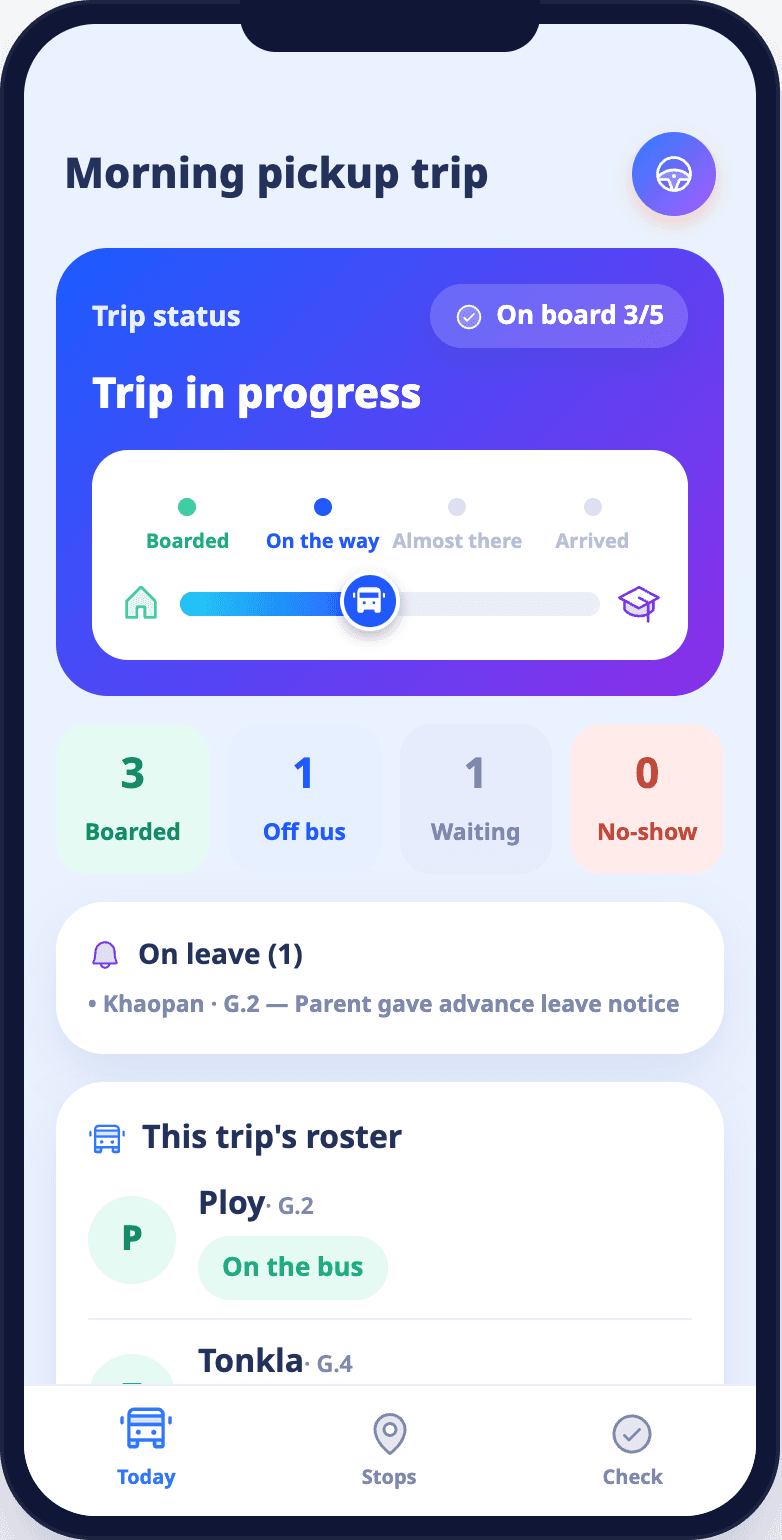
Drivers take attendance in the app, parents see trip status, and the school sees buses on a map.
- 3
Every problem has an owner
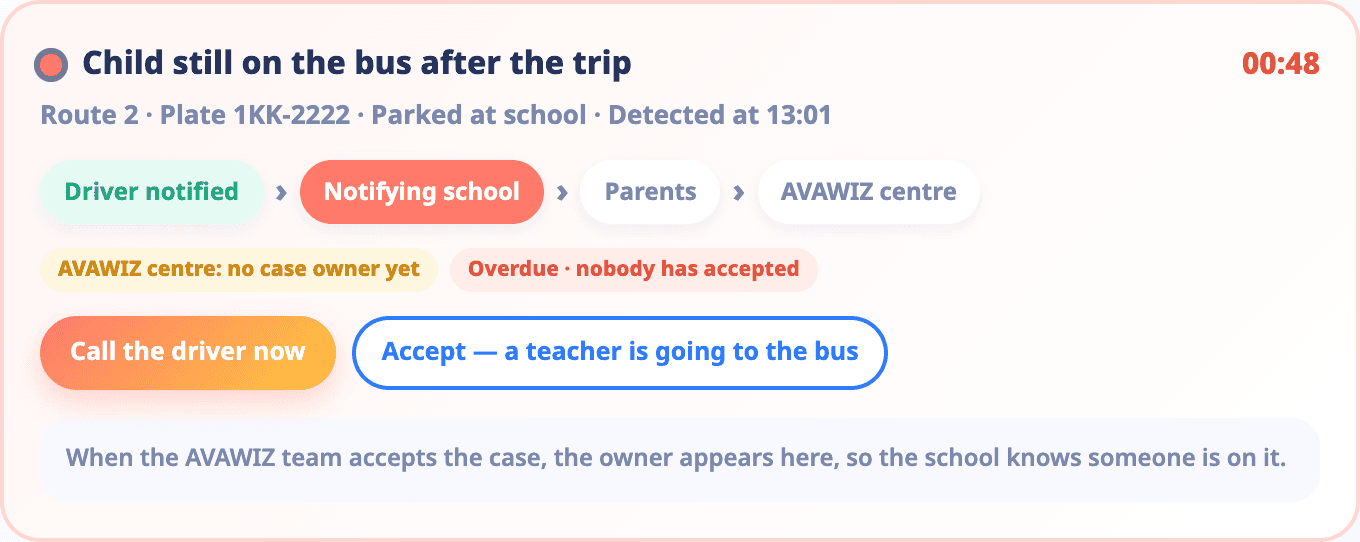
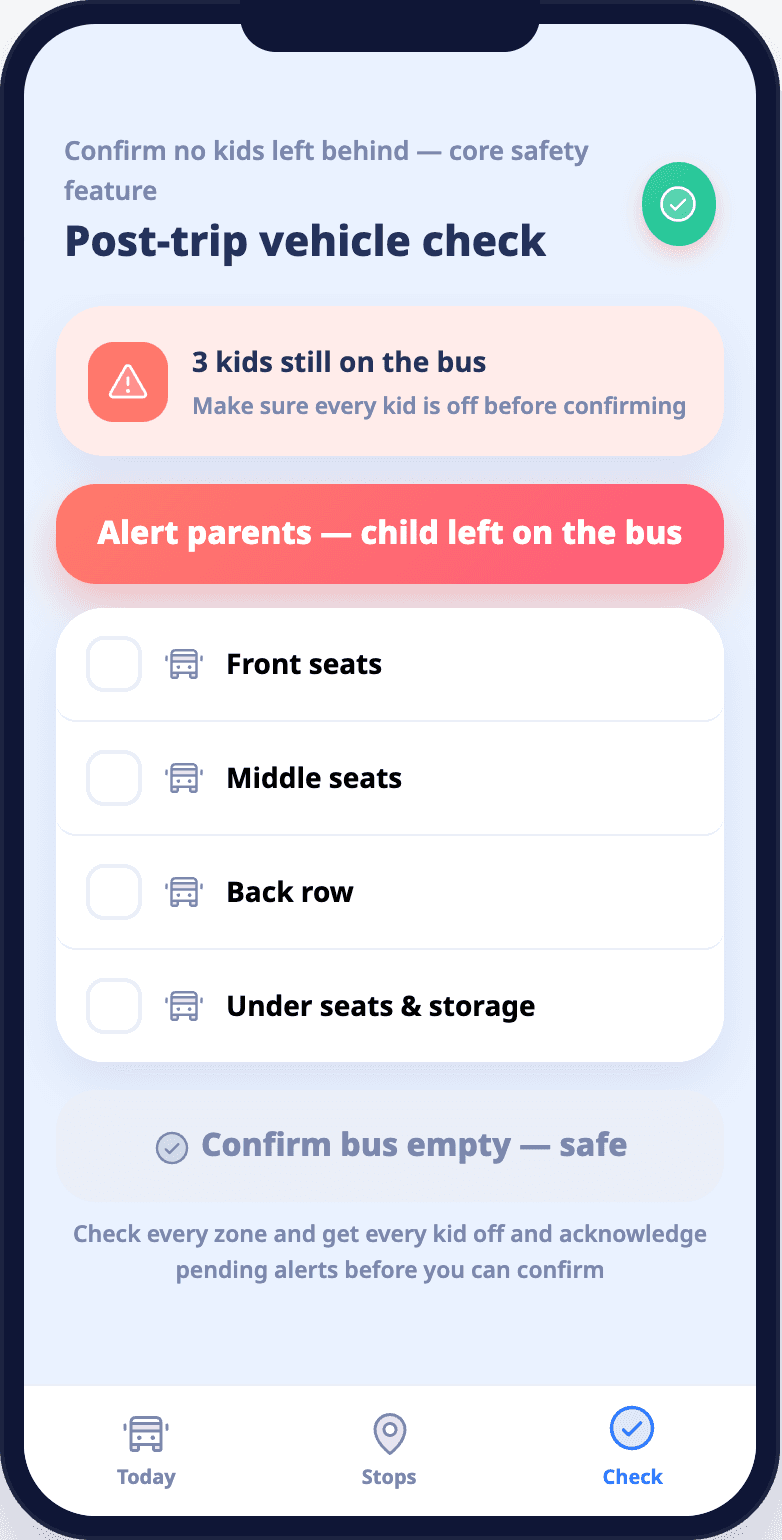
When a parked bus can't confirm every child got off, the system opens a case for the school to accept and follow through to closure.
See every bus on a live map
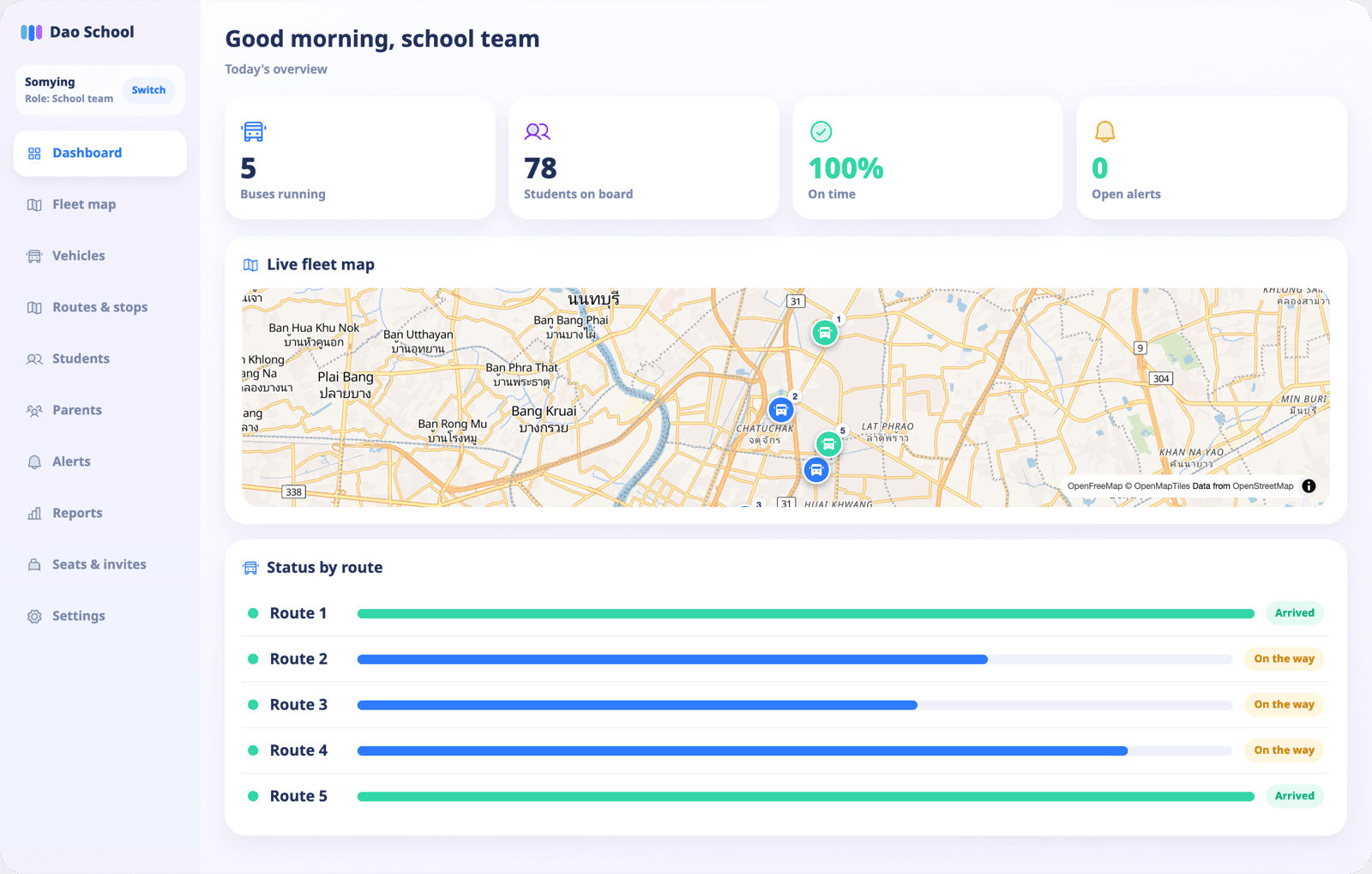
Buses send their position during the trip and the screen updates by itself, with no refresh. Schools see every bus in one view. Parents see the bus their child rides.
Schools: every bus
Bus pins move with the latest position. Filter by running, arrived or signal lost, and search by plate or route.
Parents: their child's bus
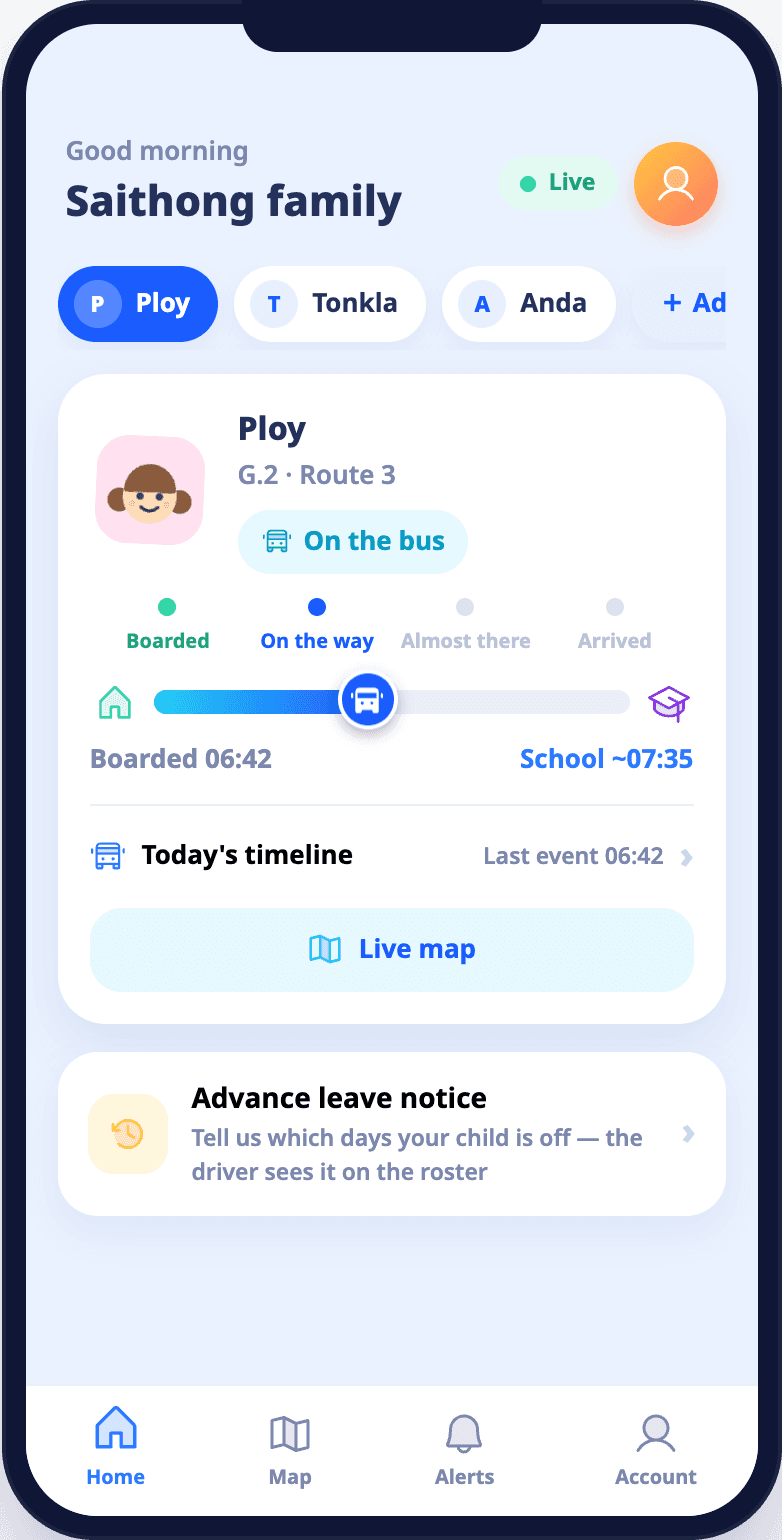
See where the bus is, your child's status and how many children are on board, without other children's names.
Alert when the bus is near home
Parents can set a drop-off point at home. The app shows how far the bus is and sends an alert as it gets close.
Clear about old data
If the signal from the bus drops, the screen says how old the data is, so nobody mistakes it for the current position.
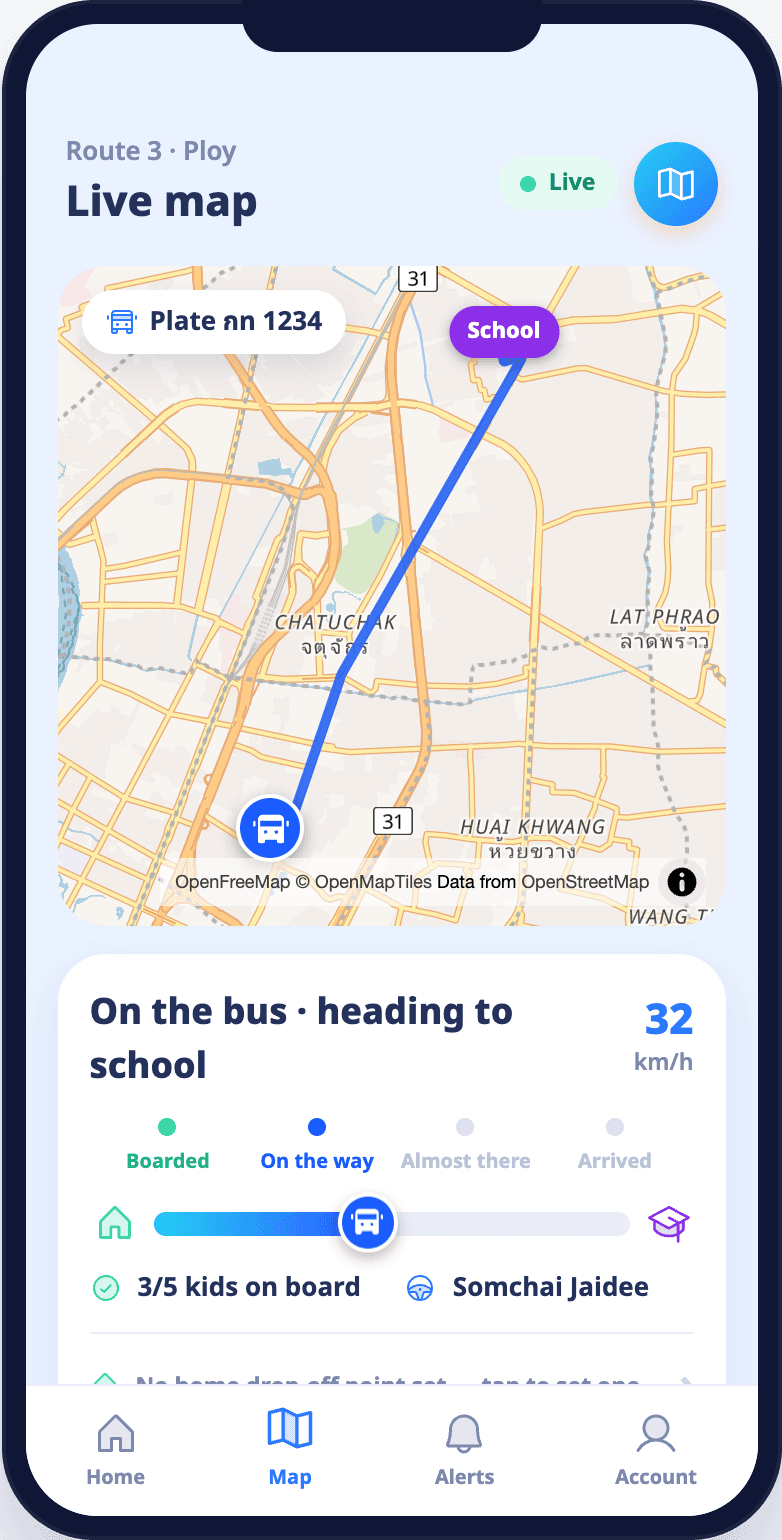
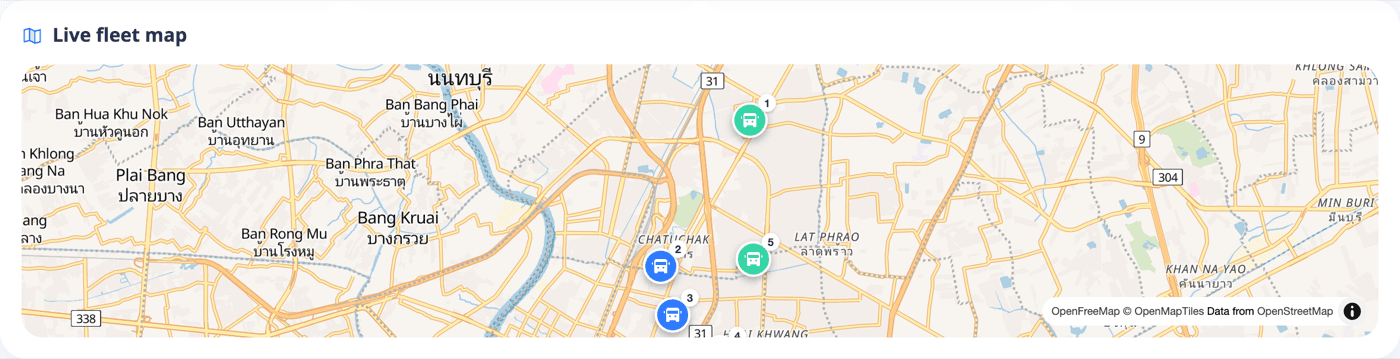
Sample screens from the product prototype, using fictional data
What each team gets
Schools
A console for the live bus map, students, routes, drivers, case tracking and reports.
Bus operators
Manage vehicles and drivers in one organization, including buses that serve several schools.
Drivers
An app to check in to a bus, see the roster, record boarded, dropped off or no-show, and sweep the bus before ending a trip.
Parents
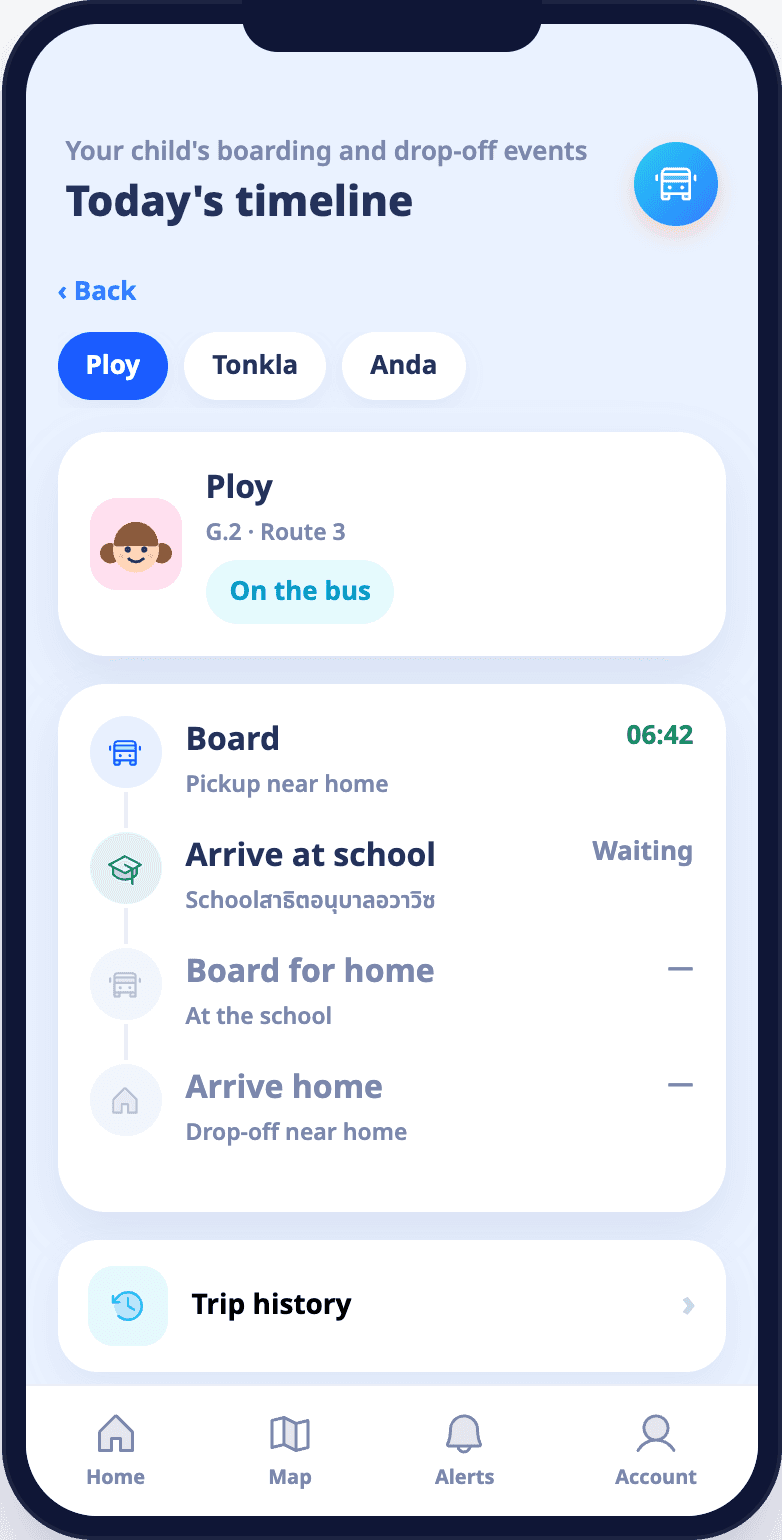
An app that shows a child's trip status from real trip data.
Sample screens from the product prototype, using fictional data
Frequently asked questions
Does the school have to buy equipment?
No. AVAWIZ provides the equipment and handles installation in the bus. Terms for your school will be in your quote.
How much does it cost?
It depends on the number of buses and how you use the service. Fill in the form and our team will follow up with a quote.
I'm a parent. What can I do?
Fill in the form with your school's name. The system is installed on the bus, so our team needs to work with the school or the bus operator.
Where do I sign in if I already have an account?
Use the "Sign in" button at the top of this page to open the console for schools and administrators.
Request a demo and quote
Share a few details and our team will get back to you.
We've got your back